Lumen
Free and open source · Windows and macOS

Every AI, one browser.

Lumen is a fast, calm Chromium browser with an AI built into the sidebar. Sign in with the AI tools you already use (Claude Code, Grok Build, Codex, Antigravity) or add an API key, and let Lumen pick the right model for each message. Chats in different tabs run at the same time. Or let any AI agent drive the browser over MCP. It reads the page you're on and acts on it, and it asks before it does.

GPL-3.0 · no telemetry · source on GitHub

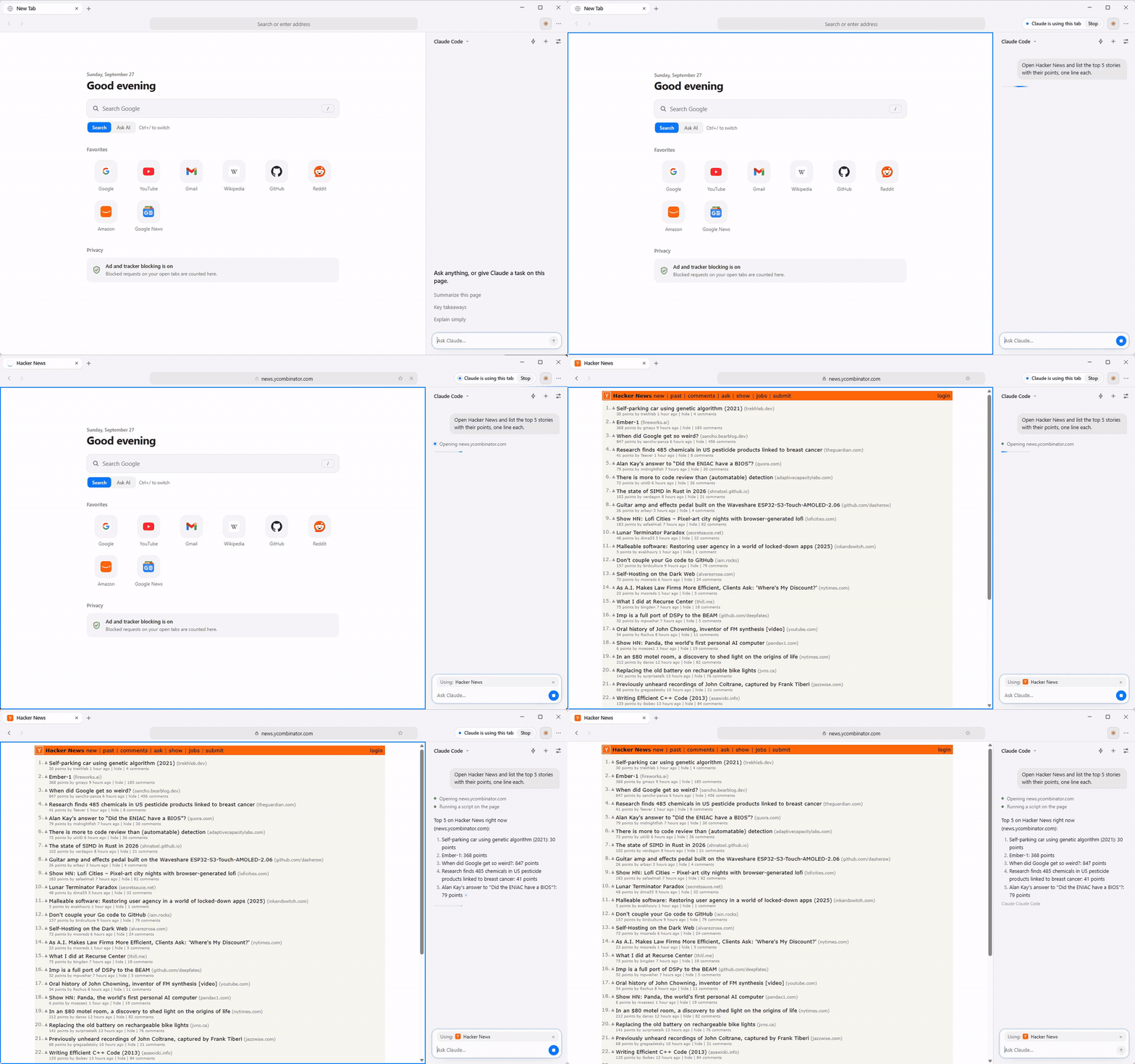
Lumen's sidebar, running Claude Code, opens Hacker News and lists the top five stories with their points

A real, unedited run of about 18 seconds. The capture profile auto-allows actions, so the approval card you'd normally see before the AI first acts on a site isn't shown. MP4

An AI that does things, not just chats

Every model gets the same browser tools, and every action goes through the same approvals. Use as many AIs as you have; Lumen only uses the ones you have connected.

Several chats at once, with the right model for each message

  • Parallel chats. A chat in each tab, all working at the same time, Claude Code, Grok Build, Codex and Antigravity included. Each chat's tools act on its own tab.
  • History that stays. A chat remembers the whole conversation, even after you switch models and back. Each earlier reply is labeled with the model that wrote it.
  • Send now. Type while a reply is running and press Send now (Ctrl+Enter, Cmd+Enter on a Mac): the reply stops and your message goes next.
  • Auto. Lumen picks the model for each message on your computer, with no extra model call: a quick question to a small, fast model, a hard one to a stronger one. Each connected AI also has its own Auto. Models that are out of usage are skipped, and each reply says which model answered and why. How Auto works
  • Usage bars. A thin bar by each provider in the model menu shows how much of its 5-hour or weekly plan limit is used. You can turn them off in Settings.
  • The same settings for every AI. Settings → AI → AI providers has a block per AI: version and signed-in account, whether it is offered in the model menu, full access where the CLI has it, whether Auto may use it, and reasoning effort, which is sent only to models that take it.
  • Usage and budgets per AI. Settings → Usage shows each AI's plan or rate limits where the provider publishes them, what Lumen counted (today, 7 days, per day, per model), and an optional budget with alerts at 80% and 100%.
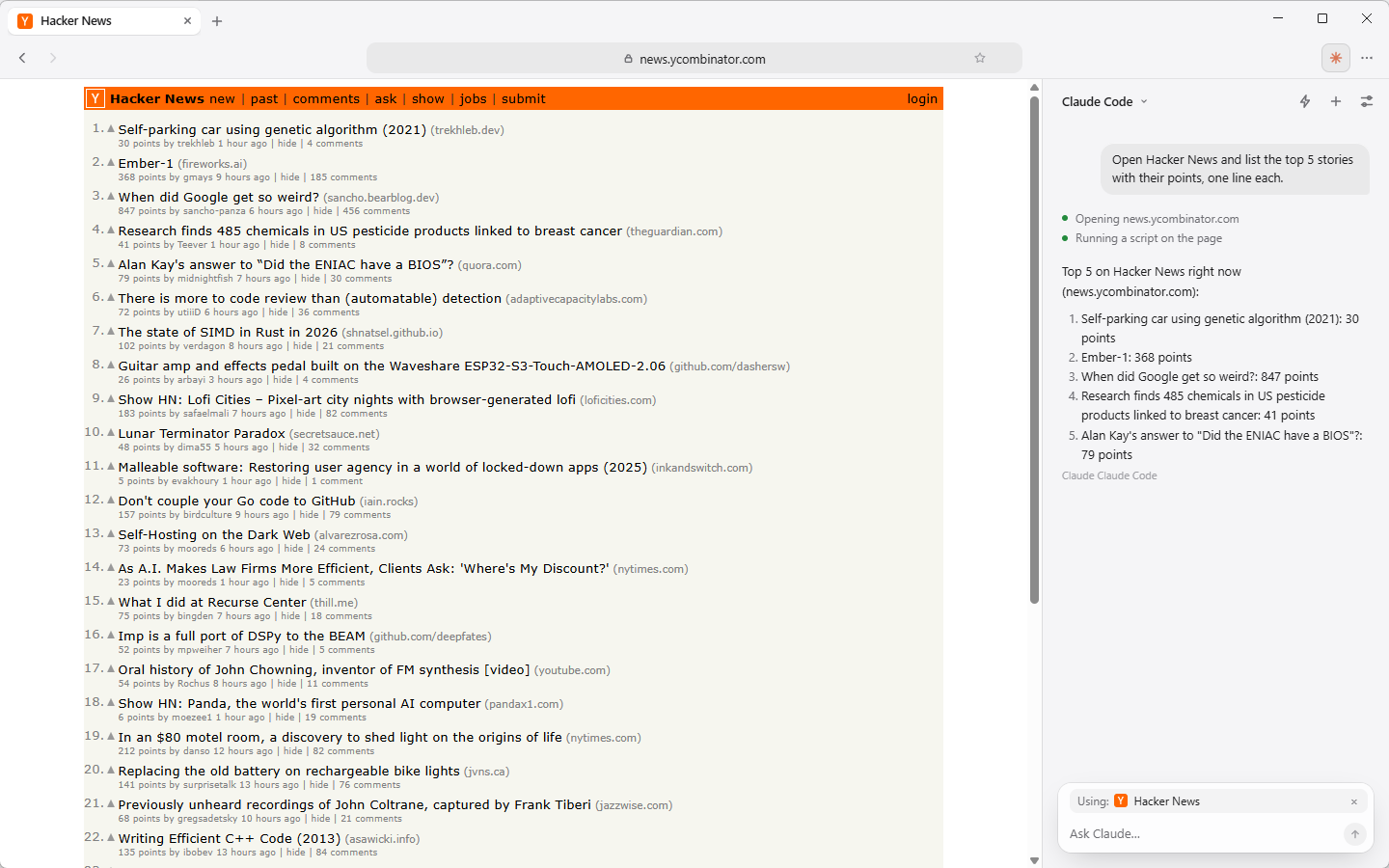
The Lumen sidebar after a task, listing each step the AI took

It reads the page and operates the browser

Ctrl+J opens the sidebar. The page you're on goes with your message, whichever AI answers.

  • Low-level actions: click, type, keys, scroll, hover, tabs, back and forward.
  • High-level actions: click by visible text, fill_form by field labels, and read_urls to read up to 6 pages in parallel.
  • Across tabs: type @ to attach open tabs to a message, or read several without switching.
  • PDFs, scripts and search: read_pdf after you allow that file, run_script for bulk edits, and web search.
The sidebar agent after a task, showing each step it took

It asks before it acts

  • New sites: the first click, keypress or script on a site in a chat shows a card for you to allow it.
  • Your accounts: pages are read signed out. Reading as you (“check my grades”) asks first: No, Just this once, or Always for that site.
  • Sensitive steps: it stops before purchases, payments, messages or deleting data, and never types passwords or card numbers.
  • Untrusted content: page text and search results reach the model marked as data, not instructions.
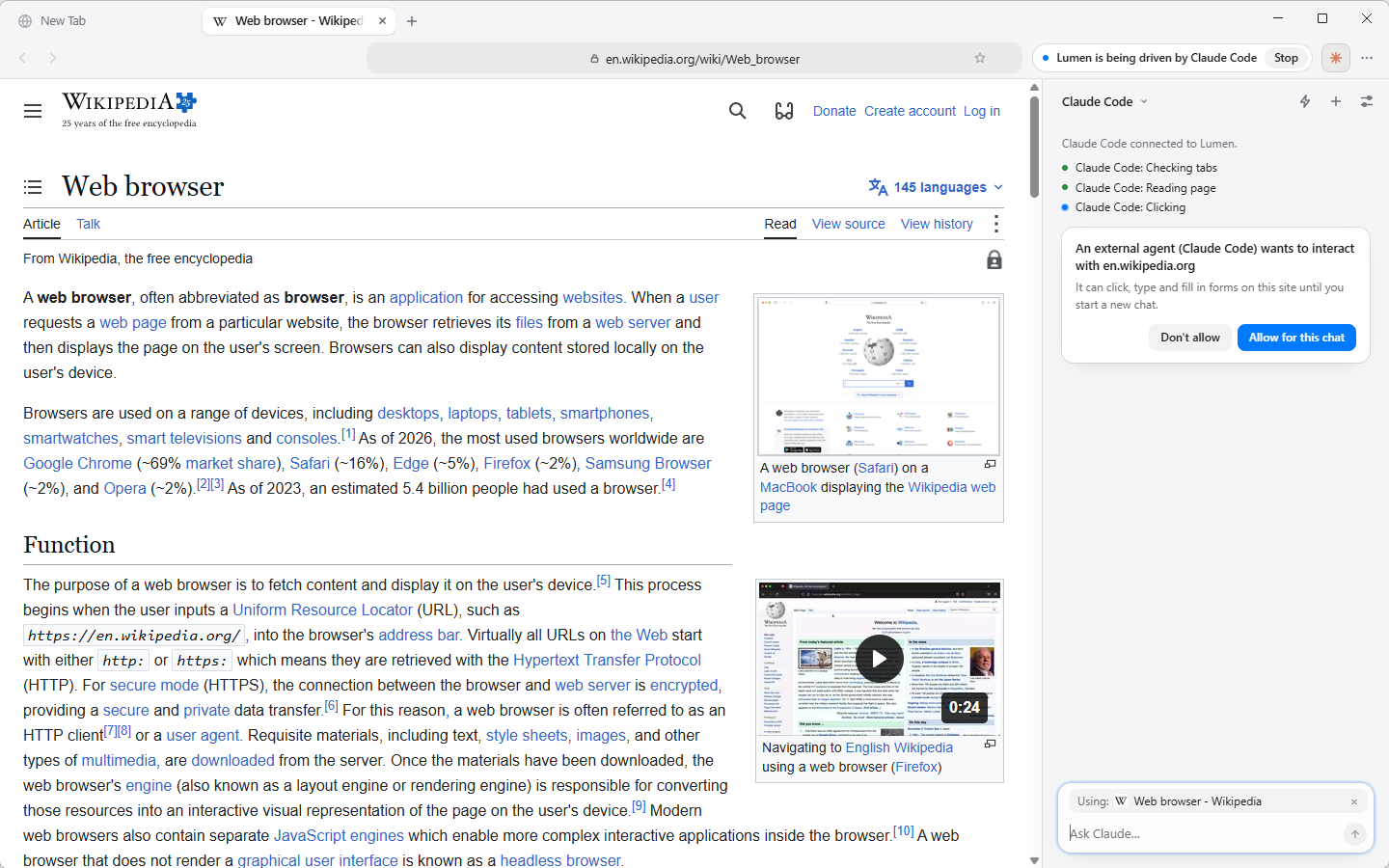
An approval card in the sidebar: an external agent asks to interact with a site

Tabs that organize themselves

Organize Tabs groups by site or by topic and shows the groups at once. Topics are found on your computer from titles and addresses, like recipes, one trip, one news story or a project's docs. "Best laptops" roundups join their category, a trip's tabs stay with that place and different trips stay apart, and related words (coffee and caffeine) group together. With AI on, the model only refines the names and groups afterwards. Pinned tabs and groups you made yourself are left alone, and you can undo.

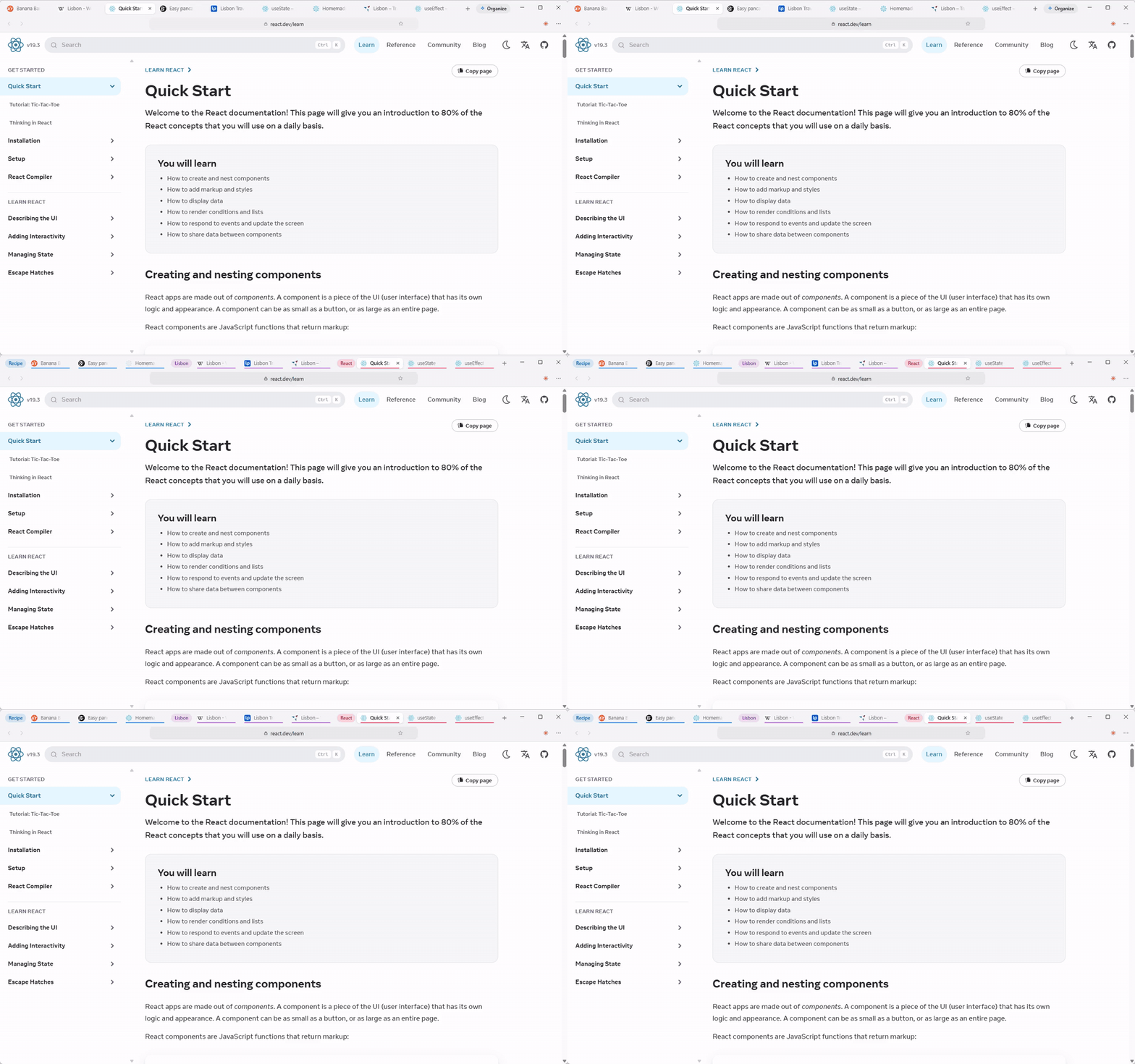
Tabs about several topics, grouped automatically into named, coloured groups

A start page that's yours

Widgets sit around the search box (and can be stacked into a Smart Stack that cycles through 2 to 10 of them): weather, world clock, calendar, Todoist, Gmail, Slack, GitHub, headlines, markets, a TradingView chart or watchlist synced from your account, notes, a countdown, a Pomodoro timer, and your own custom cards.

You can move, resize and edit them right on the page, and make them solid, frosted or clear. Search or ask the AI from the same box.

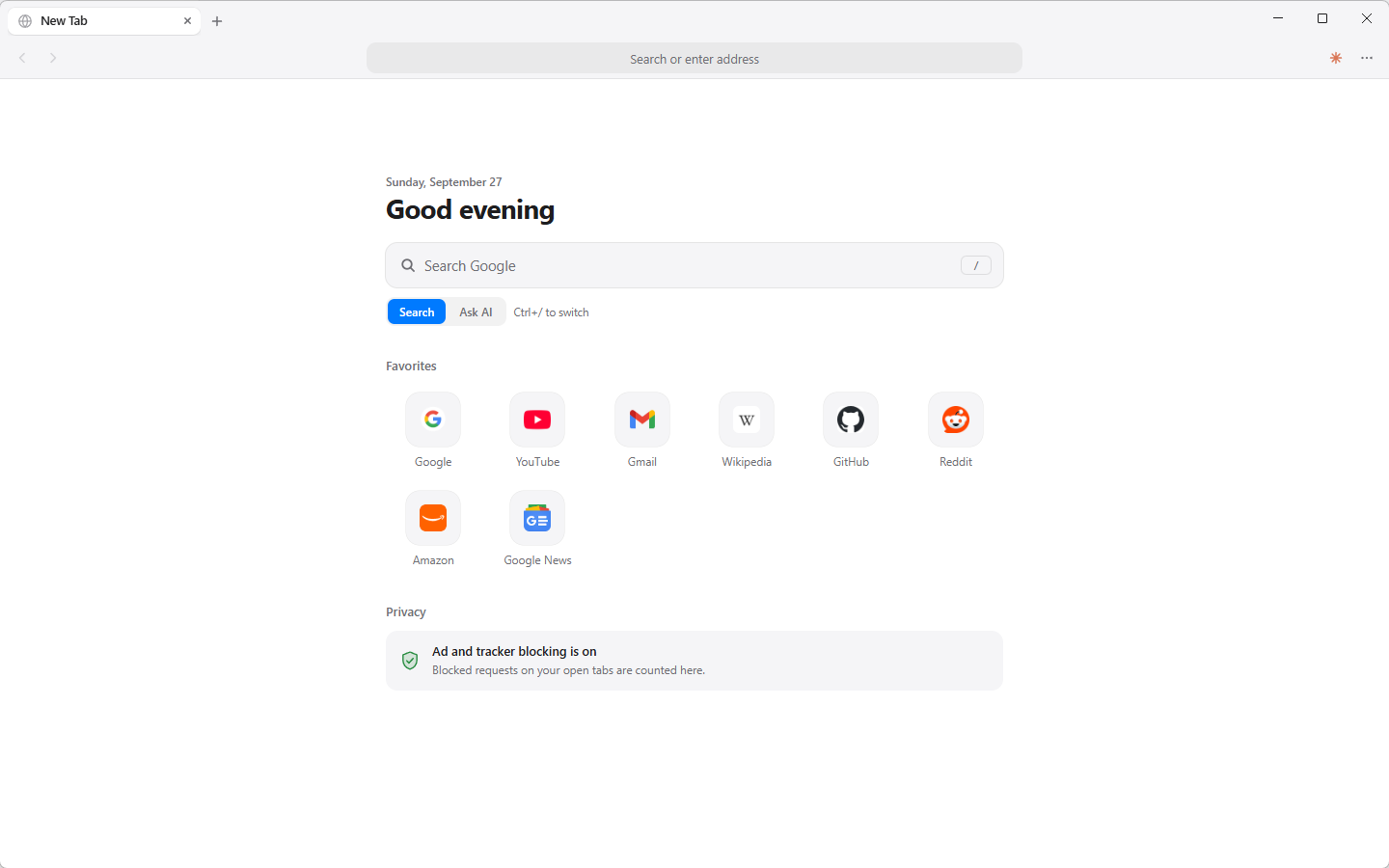
Lumen's new-tab page in the light theme
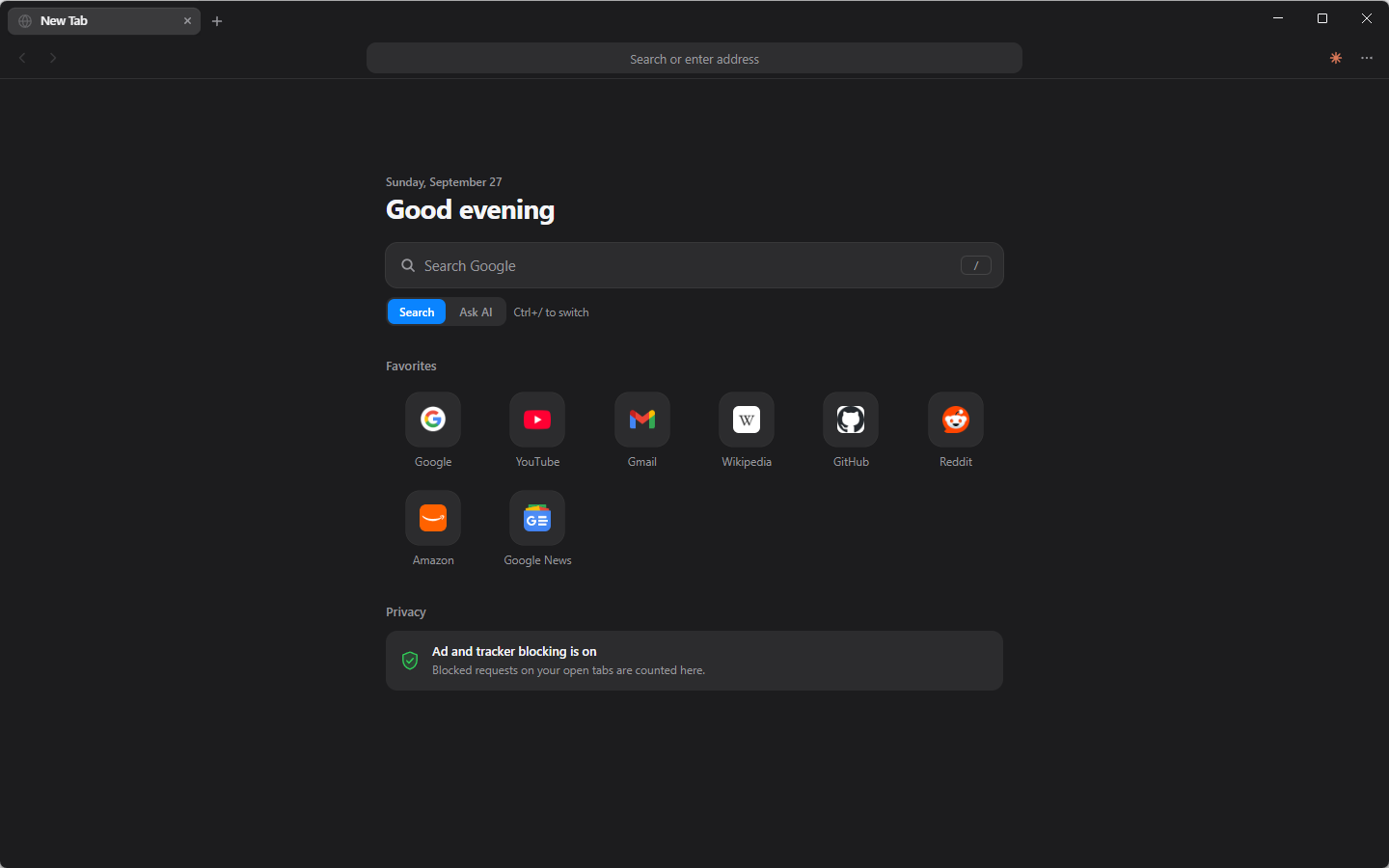
Lumen's new-tab page in the dark theme

A real browser underneath

Chromium, with the parts you'd expect and a few you wouldn't.

Pictures from any AI

Ask for a picture on a model that can't draw and Lumen has another AI you have connected make it. It never uses one you haven't. Choose Automatic, one provider or Off. Details

Quicker, leaner AI

Page actions wait only until the page settles: a simple page opens in about 0.2 s where it took 0.65 s. Page reads are shorter (table layouts like Hacker News become one line per story), older page text in long chats is trimmed to save tokens, and replies stop looking busy as soon as their text ends.

Permissions like Chrome

Sites see "ask" before you decide and hear your answer straight away, for location, notifications, camera, microphone and clipboard. Service workers register, so web apps (PWAs) and push notifications work.

Built-in ad blocker

uBlock Origin–compatible lists, built into the browser rather than an extension. Toggle it per site. Lumen also does less work on each request, which helps request-heavy pages load sooner.

Tracking protection, on by default

Sites can't tell when you leave the tab or use split screen. Fingerprints change from site to site, WebRTC can't reveal your IP address, and tracking tags come off links before the page opens. What's covered.

Saved passwords and passkeys

Saved passwords are off by default, encrypted with your OS keychain, filled only when you click, and never readable by the AI. On Windows, passkeys and Windows Hello work, and no AI tool can start a passkey prompt.

Chrome extensions

Install from the Chrome Web Store with Add to Lumen. Their buttons appear in the toolbar.

Private by default

No telemetry. Background reading runs without your cookies, and the current chat is encrypted at rest.

PDFs and local files

Chromium's own PDF viewer, from the web or from disk. Open files with Ctrl+O or by dropping them on the window.

Downloads panel

Speed and time left, pause and resume, and drag finished files straight into Finder or Explorer.

Usage at a glance

Settings → Usage covers every AI: plan limits where the provider publishes them, what Lumen counted, estimated cost for API keys, and optional budgets. The composer meter and AI status card show tokens, limits and the effort chosen.

Updates that explain themselves

New releases install themselves, and a “What's new” card shows once afterwards. You can switch the card off.

Import in one step

Bookmarks and history from Chrome, Edge, Brave, Vivaldi, Opera or Firefox. Passwords and cookies are never read.

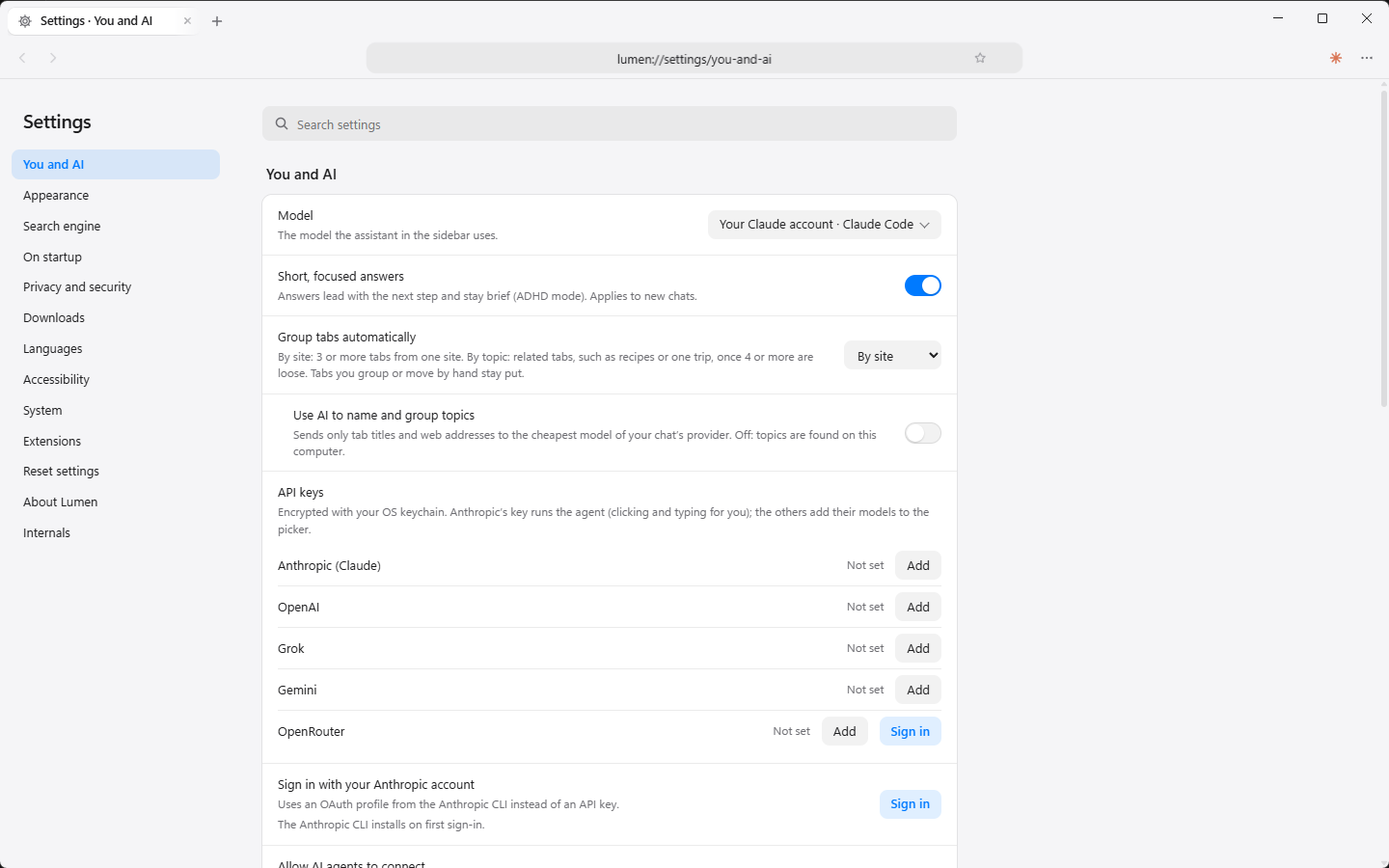
Lumen's settings page

Drive it from any agent

Lumen is an MCP server. Claude Code, Codex, Antigravity, Cursor or Claude Desktop get the same browser tools the sidebar uses, with the same approvals. Settings → AI has an Add to Codex CLI button that works however Codex was installed.

claude mcp add lumen --scope user -e ELECTRON_RUN_AS_NODE=1 -- \
  /Applications/Lumen.app/Contents/MacOS/Lumen \
  /Applications/Lumen.app/Contents/Resources/app/mcp.js

Codex, Antigravity and the other clients: see the guide. Every tool and its parameters: MCP tool reference.

  • Authenticated local channel. A per-user named pipe or Unix socket, with an HMAC challenge-response on a token in your profile.
  • Every new site still needs your OK. Auto-allow never applies to outside agents.
  • You can see it working. The toolbar says “Lumen is being driven by …”, each call shows as a step, and Stop disconnects it.
  • Token-efficient tools. Compact page outlines, diffs, find and batched steps keep agent runs cheap.
  • Your own sign-ins. The sidebar can run your own claude, Grok Build or Codex CLI headless, so Lumen never sees your login. Codex gets only Lumen's browser tools, with no shell and no file writes.

Install

Download the latest build from GitHub Releases.

ComputerFile
Windows 10/11 (x64)Lumen-Setup-<version>.exe: double-click, no admin prompt (or Lumen-<version>-win-x64.zip, unzip and run)
Mac with Apple siliconLumen-<version>-mac-arm64.dmg: drag Lumen onto Applications
Mac with IntelLumen-<version>-mac-x64.dmg: drag Lumen onto Applications

Windows: the builds aren't code-signed, so SmartScreen may warn you. Choose More info → Run anyway. With Smart App Control on, use the zip.

Mac: Lumen 0.4.4 and later is signed with an Apple Developer ID and notarized by Apple, so it opens with no prompt and needs no Open Anyway step. Updating from an older version, macOS asks once to allow Lumen access to its Keychain item. Older versions need Open Anyway in System Settings → Privacy & Security (or, on older macOS, right-click Lumen and choose Open); if one still won't open, run xattr -dr com.apple.quarantine /Applications/Lumen.app in Terminal. Updates download in the background and install with one Restart to update; there is never a new installer to run. More in the install guide.

Report an issue

Something broken, or something missing? Tell us on GitHub. Include your Lumen version (Settings → About Lumen) and your operating system.

Before you file, search the open issues in case someone already reported it.